To remove a Phaeton’s front TV, turn off its power and take off the trim frame around the overhead cabinet. Then disconnect the cables, unbolt the TV from its bracket, and lift it out with a helper. Installing a new TV is the same job in reverse, as long as the new TV and mount fit the space and the weight rating.
Tiffin Motorhomes builds the Phaeton, and the setup varies by model year. Most Phaetons hold the front TV in an overhead cabinet behind a trim frame. Some coaches may use a different setup, such as a lift. Check your owner’s manual or call Tiffin customer service with your model year and floor plan before you start.
What Tools Do You Need?
The TV and cabinet are held with screws or a hardware mount so they stay put while you drive. You can’t remove them by hand. Gather these first:
- A small mirror (to see hidden screws)
- A flashlight
- An adjustable wrench
- A drill
- A screwdriver set (screw types vary)
- A step stool or ladder
- Masking tape and a marker to label cables
Read Also: Why Bigfoot Levelers Won’t Retract & How to Fix This Issue?
How To Remove Front TV In A Phaeton Motorhome?
The job is easier than it looks, but the TV sits high and can be heavy. Get a friend to help with the lifting.
Step 01: Cut The Power
Turn off the TV. Then turn off its power source. Many motorhome TVs run on 120V AC, often fed by the inverter when you’re off shore power. Others run on 12V DC. Switch off the inverter and the breaker or fuse for that circuit. Your owner’s manual or the breaker panel labels should show which one it is.
Step 02: Remove The Trim Frame
Some cabinets open easily. Closed cabinets take more work. Here’s how to get in:
- Look for screws and brackets along the trim frame and the edges of the cabinet.
- Use the mirror and flashlight to check underneath and along the sides. Screw locations vary by model year.
- Remove the screws and set the frame aside.
Read Also: RV Slide Out Relay Location: Everything You Need to Know!
Step 03: Label And Disconnect The Cables
Before you unplug anything, label each cable and its port. This usually includes power, coax, and HDMI. It may also include a satellite receiver or a link to the coach’s entertainment system. A quick phone photo of the back of the TV helps too.
Step 04: Pull Down The TV
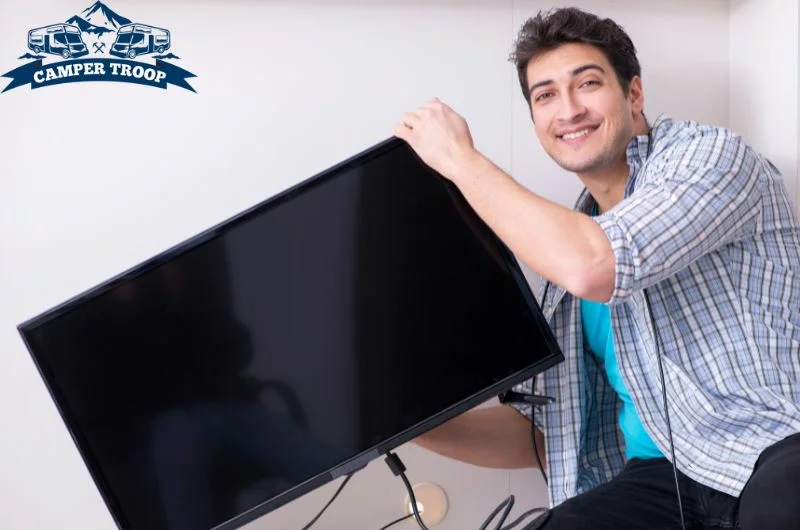
This is the risky part, because one slip can drop the TV. Have your helper hold the TV while you remove the screws or bolts holding it to the bracket. Then slide it out slowly and set it face-up on a soft surface.
Step 05: Dismantle The Cabinet (Only If Needed)
If your new TV fits the current opening, leave the cabinet alone. If you need a bigger opening, remove the screws holding the cabinet and lower it with help. Then take off the brackets and holders. Cutting or rebuilding factory cabinetry may affect your warranty, so check your warranty terms first.
Read Also: HWH Leveling System Troubleshooting [Things You Should Know]
How To Install A New Front TV In A Phaeton Motorhome?
Installing a new TV is mostly the removal in reverse. Use two people, because one person needs to hold the TV while the other fastens it. The new TV is a regular flat-panel TV. “Tiffin” is the coach maker, not a type of TV.
Step 01: Take Measurements
Measure the cabinet opening’s width, height, and depth. Then check the new TV’s dimensions, weight, and VESA pattern (the bolt spacing on the back). Make sure the TV fits the opening and the bracket or mount is rated for its weight.
Step 02: Fit The Cabinet Or Pick A Mount
If the TV fits, reuse the old brackets. If not, rebuild the opening from new board, or use a lockable RV wall mount instead (see the table below).
Step 03: Mount The TV
Fasten the bracket or mount into solid material, not thin wall paneling. Put the TV on and tighten every bolt. If it wobbles, take it down and refit it.
Step 04: Do the Wiring
Reconnect each cable to the port you labeled: power, coax, HDMI, and any satellite receiver or entertainment system link. Turn the breaker and inverter back on.
Step 05: Test And Lock It For Travel
Check picture, sound, and every input. Then make sure the mount locks and nothing rattles before you drive.
Which Lockable RV TV Mount Fits Your TV?
Never put a TV on a mount rated for smaller or lighter screens. Pick one whose size, weight, and VESA ratings all cover your TV.
| Mount | TV size | Max weight | Notes |
|---|---|---|---|
| WALI 1343LK-P | 13–43 in | 33 lbs | Lockable; mount on wood studs, brick, or concrete, not drywall alone |
| Mount-It! MI-431 | 24–43 in | Check listing | Detachable VESA head so you can take the TV off for storage; Staples listed it at $52.99 |
| Mount-It! MI-430 | 28–55 in | 77 lbs | Extends 2.3–15.7 in, tilts +10/-15°, swivels ±90°, limited lifetime warranty |
| PERLESMITH lockable RV mount | 13–42 in | Check listing | A similar mount is sold as Perlegear, so confirm brand and model |
Do You Need A 12V TV For Your Phaeton?
Not always. Match the TV to the circuit at the TV location. If that outlet is 120V AC and the inverter powers it, a regular TV works. If the location only has 12V DC, you need a 12V TV or a separate power solution. Whatever you pick, choose a light TV that fits your mount’s weight rating.
How Do You Secure The TV For Travel?
- Lock the mount in its travel position before every drive.
- Make sure cabinet doors and latches are closed.
- On a detachable mount like the MI-431, remove the TV and store it for long trips.
- Recheck bolts now and then, since road vibration can loosen them.
Can You Mount A TV On An RV Wall Without Studs?
Not safely. A lockable wall mount can replace the cabinet, but it must go into wood studs or solid backing. WALI says not to mount on drywall alone. RV walls are thin, so use a stud finder and check your owner’s manual for framing locations. If you can’t find solid backing, call an RV technician.
When Should You Call A Pro?
Hire an RV technician if your coach has a TV lift, if you aren’t sure which circuit powers the TV, or if you need to rebuild the cabinet or add backing. For model-specific steps, contact Tiffin customer service.
Read Also: Why Does The Rv Gray Tank Read Empty When Full? (Quick Fix)
FAQs.
Can I Use the Same Frame For New Front TV In My Phaeton Motorhome?
Yes, it is possible to use the same frame as long as the measurements are okay. The TV size must match the old TV size and cabinet size so that it fits properly. Loose fitting is never appreciated because the TV can get damaged while traveling bumpy roads.
What To Do If The Old Wall Mount Breaks During Removal?
Replace it. Don’t try to repair a cracked or bent mount, because it has to hold the TV through road vibration. Buy a new mount rated for your TV’s size, weight, and VESA pattern.
What Is The Maximum Size TV I Can Install In My Phaeton Motorhome?
It depends on your cabinet opening or mount. Tiffin does not use one standard mount size for the Phaeton front TV. Measure the opening and pick a mount rated for your TV. For example, the WALI 1343LK-P is rated for 13–43 inch TVs up to 33 lbs, and the Mount-It! MI-430 for 28–55 inch TVs up to 77 lbs. Never put a TV on a mount rated for smaller or lighter screens.
What Are The Best RV TV Wall Mounts?
Lockable RV mounts let you skip the cabinet if you anchor them into studs or solid backing. Options include the WALI 1343LK-P (13–43 inch), Mount-It! MI-431 (24–43 inch), Mount-It! MI-430 (28–55 inch), and PERLESMITH lockable RV mount (13–42 inch). Choose the one whose ratings cover your TV.
Conclusion
Swapping a Phaeton’s front TV comes down to four things. Cut the power, label the cables, and get a helper for the lift. Then match the new TV to a cabinet or mount rated for its size and weight.
If you switch to a wall mount, anchor it into studs or solid backing, never thin paneling alone. Lock it before every drive. And if you’re working alone, always keep one hand on the TV.
Read Also: Why Does My Rv Sleep Number Bed Make Knocking Noise?