Quick answer: Maxxair fan buttons can stop working because of a lost 12-volt supply, a dead remote battery, a worn keypad, or a failed control board. First confirm the fan has 12 volts and the rain sensor is dry. Then reset power for a few minutes before you replace any parts.
A Maxxair fan is one of the most useful appliances in an RV, so it is frustrating when the buttons stop responding. Many of the causes are simple to check. This guide covers each likely cause, the best order to test them, and when a repair is not worth doing yourself.
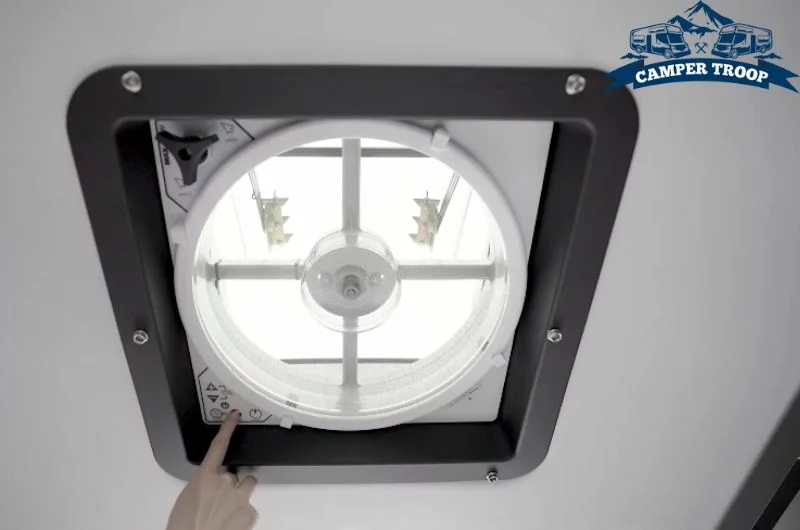
Why Are the Buttons on My Maxxair Fan Not Working?
The buttons may have failed, or the whole fan may have lost power. Start by matching what you see to the table below. Then read the section on the likely cause.
| What you notice | Likely problem | What to do next |
|---|---|---|
| No control works at all | Lost 12V power, blown fuse, tripped breaker, or failed board | Test for 12 volts at the fan |
| Remote works, but the fan’s buttons do not | Keypad, membrane switch, or keypad connection | Inspect the keypad and its wiring |
| Fan’s buttons work, but the remote does not | Remote battery or signal | Replace the battery and retest up close |
| Fan beeps on and off | Possible circuit board problem | Check power, reset, then inspect the board |
| Fan acts up during or after wet weather | Wet rain sensor, if your model has one | Let the sensor dry and retest |
1. Broken Keypad
A worn or dirty keypad can make buttons hard to press or stop them from responding. Turn off the fan’s 12V power, then wipe the outside of the keypad with a soft, dry cloth. Look for cracks, stuck buttons, or loose connections you can reach without taking the unit apart.
Check your manual before you open the keypad, since opening it may risk damage. If the buttons still fail and the fan has power, the keypad may need to be replaced.
2. Dead Battery
If only the remote’s buttons fail, check the remote first. Install a fresh battery and make sure it is seated the right way. This is the easiest test on the list, so do it before you look at any fan parts.
If a new battery does not help, stand directly under the fan and aim the remote at it. Remove anything between the two. If your remote uses an infrared signal, point it at a phone camera and press a button. Many cameras will show a faint flash at the tip. Your owner’s manual will tell you whether your remote needs any setup or pairing.
Read Also: When To Use The Check Valve, Before Or After Pump? Find Out!
3. Defective Control Board
A failed control board can stop the fan from responding to its controls. Suspect the board only after you confirm that the fan has 12 volts, the rain sensor is dry, and a power reset did not help. If the board is bad, replacing it is the usual repair.
Parts prices vary by board. etrailer lists circuit boards at $94.53 for the MA39FR and $156.24 for the MA10A21275K, and prices may change. If you hire out the work, get a written labor quote first.
4. Blown Fuse
A blown fuse or tripped breaker can cut power to the fan, which makes every button seem dead. Find the fan’s circuit at your RV’s 12V fuse panel and inspect the fuse. Check your model’s manual to see whether the fan has its own fuse and where it is.
Replace a blown fuse only with one of the same rating. Never install a larger fuse. If the new fuse blows too, stop using the fan, because the circuit may have a short.
5. Damaged Membrane Switch
A membrane switch is a thin, flat switch layer behind a set of buttons. If your keypad uses one and it gets damaged, some or all of the buttons may stop responding.
A continuity test is a common way to check a switch, but you need the correct test points for your model to trust the result. Without that information, have a technician test it or ask Maxxair for guidance.
Read Also: Why Your RV Oven Pilot Won’t Light and What to Do About It?
What Is the Best Order to Diagnose a Maxxair Fan?
Go from the cheapest and easiest checks to the most expensive part. An etrailer expert advises confirming that the fan is receiving 12 volts and that the rain sensor is not wet before you replace parts.
- Compare the controls. If your fan has both a remote and built-in buttons, try each one.
- Check the remote. Replace the battery and retest from directly below the fan.
- Check the rain sensor. If your model has one, make sure it is dry.
- Check RV power. Inspect the fuse and breaker, and make sure the house battery is charged.
- Test for 12 volts at the fan. Use a multimeter as described below.
- Reset the fan. Turn off the power for a few minutes, then restore it.
- Inspect the keypad and connections. Turn off the power first, and look for loose or damaged wires.
- Consider the control board last. Replace it only after the other checks pass.
Safety warning: Disconnect 12V power before you open the fan or keypad or touch its wiring. Take care on ladders and roofs, and stop if you see melted or burned wires.
How Do You Check for 12 Volts at a Maxxair Fan?
Use a multimeter set to DC volts and measure at the fan’s power connection. A reading close to your RV battery’s voltage means power is reaching the fan.
- Turn off the fan’s 12V circuit at the fuse panel or breaker.
- Reach the fan’s power connection. Use your model’s wiring information to identify the positive and negative wires.
- Make sure the bare wires and connectors are not touching each other or any metal.
- Restore power, then touch the red probe to positive and the black probe to negative. Keep the probes from touching each other.
- Read the meter, then turn the circuit off again before you handle the wires.
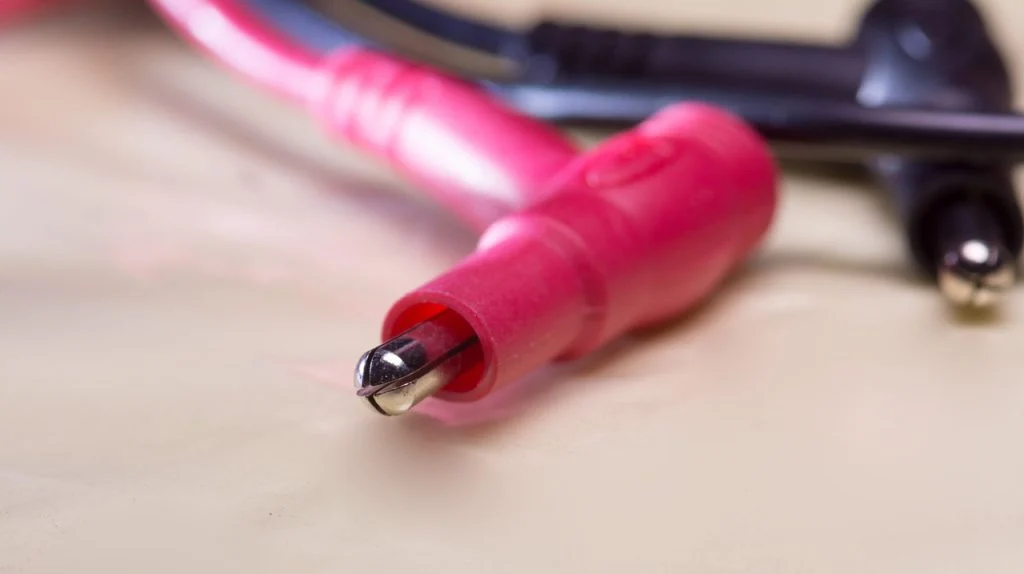
If you read zero or far less than battery voltage, the problem is upstream of the fan. Check the fuse, breaker, any wall switch, wire connections, and ground. If you have good voltage and the controls still fail, move on to the reset and keypad checks.
How Do I Reset My Maxxair Fan?
To reset a Maxxair fan, turn off its power source for a few minutes, then restore power. You can cut power with a switch or breaker, or by pulling the fuse for the fan’s circuit.
Turn Off the Power:
Turn off the 12V power source to the fan. Wait a few minutes, then turn the power back on and try the controls again.
Disconnect the Fuse:
If you have no separate switch or breaker for the fan, find its fuse in the RV’s 12V panel. Pull the fuse, wait a few minutes, and put it back. Inspect it while it is out, and replace it with the same rating if it has blown.
Read Also: How to Light a Suburban RV Oven? (Things You Need to Know)
What Do Other Maxxair Fan Symptoms Mean?
Why Does My MaxxFan Work With the Remote but Not the Buttons?
This points to the fan’s keypad, membrane switch, or keypad connection. A working remote shows that the fan has power and that its motor can respond, so you can skip the power checks. Turn off the 12V power and inspect the keypad and any connections you can reach.
Why Is My Maxxair Fan Beeping and Not Working?
Intermittent beeping can signal a circuit board problem that may require a new board. Before you buy one, confirm 12 volts at the fan, check that the rain sensor is dry, and try a power reset.
Why Won’t My MaxxFan Shut Off?
To stop the fan right away, cut its 12V power at the breaker or fuse panel. If your model has an automatic or thermostat mode, check that it is not keeping the fan on. If the fan still runs nonstop after a reset, have the keypad and control board checked.
Why Won’t My Maxxair Fan Lid Open Automatically?
Start with the same two checks: 12 volts at the fan and a dry rain sensor, if your model has one. Next, look for anything physically blocking the lid. Do not force it. If the lid still will not move, the lid motor, its linkage, or the control board may need service.
Which Maxxair Fans Have Remotes or Ceiling Controls?
Controls vary by model, so not every fan has a remote. The MaxxFan Deluxe lineup includes six models in 4-speed and 10-speed versions, with ceiling controls or select remote-control models.
- Ceiling controls only: Skip the remote checks and focus on power, the keypad, and the board.
- Remote and built-in controls: Use one to test the other, which quickly narrows down the fault.
- Wall-mounted keypad: If your RV has one, add its wiring to the list of things to inspect.
Which Replacement Circuit Board Fits My Maxxair Fan?
The right board depends on your fan’s full model number. etrailer matches these boards to fan models as follows:
| Replacement board | Fan models |
|---|---|
| MA10A21275K | MaxxFan Plus or Deluxe models such as 00-04500K, 00-07500K, and 00-08500K |
| MA10A21276K | 00-04000K, 00-05100K, and 00-06200K |
Look for your model number in your owner’s paperwork, purchase records, or on any label on the fan. If your model is not listed, confirm the part with the seller or Maxxair before you order.
How Many Amps Does a MaxxFan Deluxe Draw?
Power draw depends on the model and fan speed. etrailer gives 5 amps (60 watts) as the start-up or maximum rating for the MA00-07500K. For the MA00-06401K, it lists about 4.5 amps while running and about 9 amps at start-up.
Does Warranty Coverage Change If You Open the Fan?
It might, so check before you open anything. Read the warranty that came with your fan or ask Maxxair how a DIY repair would affect coverage. This matters most on a newer fan. Keep your proof of purchase and your model number handy.
Where Can You Buy Genuine Maxxair Replacement Parts?
Contact Maxxair, an authorized RV dealer, or a retailer that matches parts to your model number. etrailer, for example, lists Maxxair circuit boards by part number. Do not assume every keypad or small component is sold separately for every model. Confirm that the exact part is available before you start the repair.
Should You Repair the Fan, Replace It, or Call a Technician?
Compare the full repair cost with the price of a new fan. A board costs far less than a complete unit, but labor can close that gap. etrailer lists the MaxxFan Plus MA00-04500K at $377.51 and the MaxxFan Deluxe MA00-07500K at $475.35. Prices may change.
- Repair it if the fault is confirmed, the part is available, and the rest of the fan is in good shape.
- Replace the fan if the part is unavailable, several parts have failed, or the repair quote gets close to the price of a new unit.
- Call an RV technician if fuses keep blowing, you find burned wiring, you cannot trace a voltage loss, or you are not comfortable working on the roof or with 12V wiring.
FAQs.
There are multiple questions found on the internet related to Maxxair fans on RVs. Here are some of the most common frequently asked questions and their answers related to this topic:
Can I use my Maxxair fan while driving?
Check the owner’s manual for your exact model first. If the manual does not clearly allow running the fan with the lid open while driving, close the lid before you travel.
Why is my Maxxair fan beeping?
When your Maxxair fan is intermittently beeping, it indicates that there could be an issue in the circuit board of the fan. In this case, the circuit board may need to be replaced.
Can I run my Maxxair fan in the rain?
Yes, you can run your Maxxair fan when it’s raining outside. Maxxair fans have a built-in rain cover that protects them from rainwater and allows you to run them in the rain.
Is a Maxxair fan worth the money?
It depends on the model and the features you need, such as speed settings and remote control. etrailer lists the MaxxFan Plus MA00-04500K at $377.51 and the MaxxFan Deluxe MA00-07500K at $475.35. Prices may change.
Read Also: RV Converter Fan won’t Shut Off: 3 Probable Reasons & Fixes!
Conclusion
When Maxxair fan buttons stop working, do not start by buying parts. First work out whether the buttons failed or the whole fan lost power.
Check the remote battery, the rain sensor, the fuse, and the 12V supply. Then try a power reset. Many of these checks need only a multimeter and basic care around 12V wiring.
If those checks pass, look at the keypad, then the control board. Match any new part to your exact model number and check your warranty first. Some of these parts can be delicate, so handle them carefully or leave the job to an RV technician.